Before you invite the group
Choose an organizer, check which phones your guests use, and decide who should be able to view the event. PhotoTrail creation and uploads currently use the Android app and an account. Browser previews provide a viewing path, with an OTP for private previews. If your event needs iPhone or browser uploads, arrange another contribution method for those guests before sending invitations.
Create an event people will recognize
Use a clear name, add the event details, and choose public or private access. A family gathering or client wedding will usually need an invitation-only audience. Public events are intended for wider discovery. Test the settings before uploading sensitive media, and explain the intended audience to everyone who contributes.
Test the invitation from another account
The host’s view is different from a guest’s experience. Ask someone to follow the event link or enter the invite code, complete the account steps, and find the event. Have that person add a photo and a representative video. Check that the uploads appear to the intended members and that the guest knows how to return to the collection.
Check storage before a large event
The free tier includes 1 GB. Plus, Pro, and Photographer provide larger allocations, with different per-file limits and download features. Videos can use storage quickly. Review the plan comparison before promising a collection to a large group. In photographer events, guest contributions count against the photographer host’s allocation.
Collect without chasing separate messages
Share one destination and repeat the same instructions in your reminder. Ask guests for a few moments you especially want to keep: the ceremony, speeches, a group activity, or the final stop of a trip. Keep original files on the phones until contributions are confirmed. If someone has trouble joining or uploading, ask them to contact the organizer.
Share previews with care
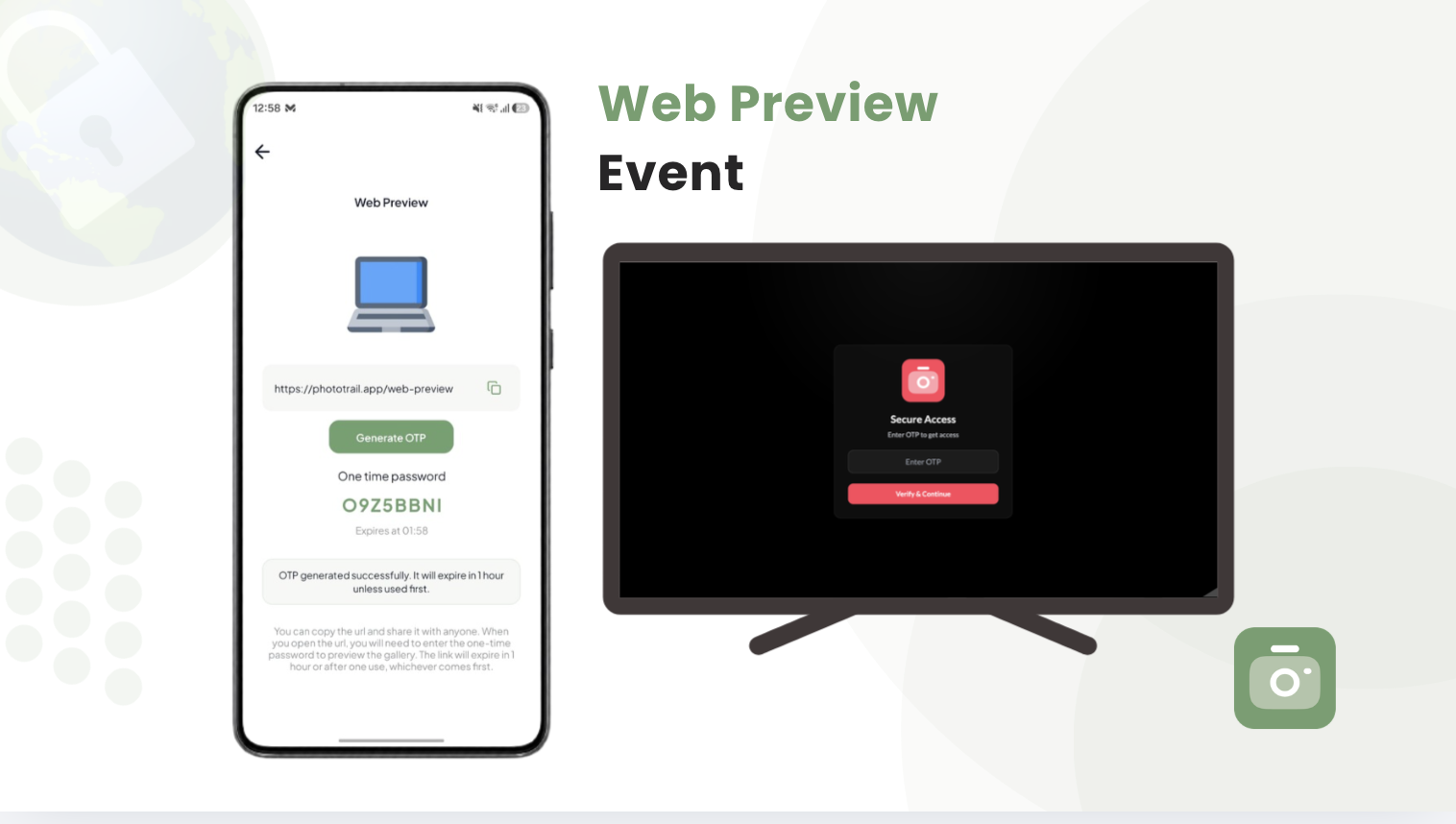
A public preview can be viewed in a browser. A private preview requires an OTP, which is validated before access is granted. Keep the access code within the intended audience. Browser viewing does not enable uploads, and album access does not establish permission to repost private media publicly. Read the privacy and access overview when planning a sensitive event.
Keep the memories useful after the day
Send one follow-up while people remember what they captured. Review missing moments, check access, and keep separate copies of valuable originals. Confirm the available download tools on the plan you are using. Our collection guide includes a before-and-after checklist; the FAQ answers common account, device, and access questions.